Before you build with us for the first time, you’ll need to add bbbmeetup.minehut.gg to your list of multiplayer servers in Minecraft:
1. Launch your Minecraft java client.
2. Click Multiplayer.

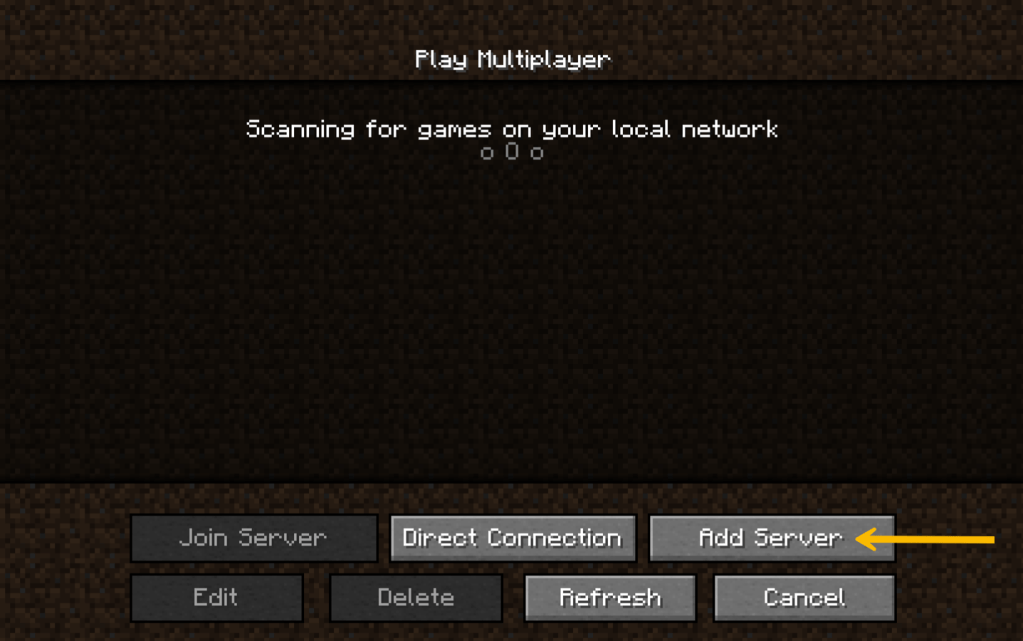
3. Click Add Server.
4. Change the Server Name to BBB Meetup.
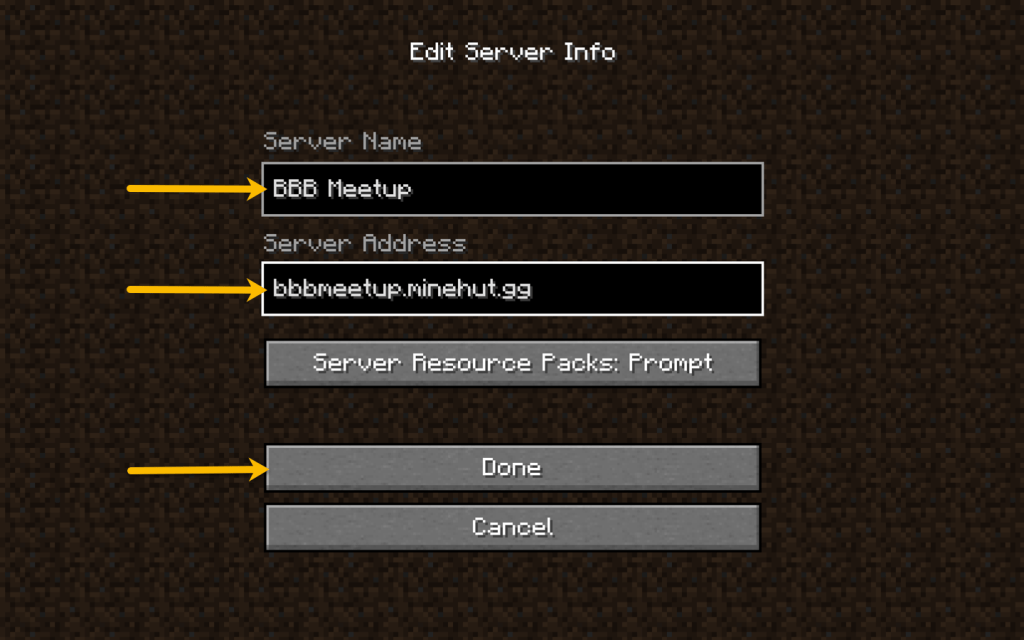
5. Enter bbbmeetup.minehut.gg under Server Address.
6. Click Done.
You know you’re ready to join us if you see BBB Meetup and a status bar in your list of servers.

Contact the meetup organizer if you need more help; we’ll be happy to assist you.

